We all look forward to watching the fabulous schedule of Christmas telly when the season rolls around each year. I must say that I think we’re particularly lucky here in the UK with the yearly efforts of the BBC, ITV, Channel 4, Sky and more when it comes to comedy, drama, live shows and other entertainment to keep us merry and amused through Christmas. There’s just so much on offer when it comes to Christmas TV, though – how do you plan your festive telly so you don’t miss anything?
Keep Track Of Christmas TV With A Guide
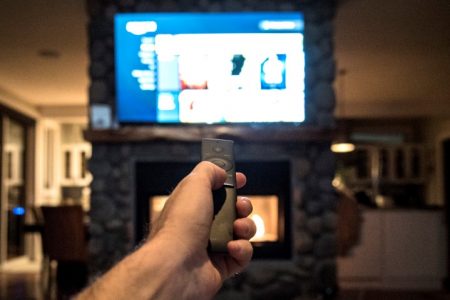
The easiest way to make sure you’re in the know about festive telly is with a TV guide. There’s the traditional route, with a paper magazine TV guide, or you can see what’s coming soon on each channel via your particular digital television service.
So your first decision needs to be whether you’ll find out about this year’s Christmas TV via the menu on your television screen (or service app), or whether you’ll purchase a paper-based TV guide magazine.
Through the year I don’t bother with the TV magazines, but there’s something about buying the two-week special TV guide when it comes out in early December and going through it with a highlighter pen. The top choices for festive telly TV guide magazines are the TV Times or Radio Times -both are extremely popular.
I personally find it much easier to see ‘what’s on’ through the Christmas holiday season with the black and white (plus neon pink or yellow, once I’ve finished) magazine in front of me rather than trying to plan and keep track from a screen-based TV ‘planner’.
Watch, Record Or Catch-Up?
If you try to watch all the great festive TV when it airs, you’ll probably have to miss out on a few things. Broadcasters are vying for viewers, and Christmas TV is often so densely packed with highly popular entertainment shows and ‘specials’, so you’ll notice a lot of things you want to watch are on at exactly the same time.
Back in the day we had a video recorder – nowadays you can watch one channel, record one (or more) other channels, and catch up with missed episodes and programmes through catch-up streaming services. We’ll discuss those in a bit.
First up: which TV service do you have? And does it make a difference to your Christmas TV planning?
Digital TV Services
Sky TV
Sky TV is the one our family has, so it’s the easiest one to discuss. There are a lot of options available with Sky – don’t get me wrong, you pay enough for them (!) but they certainly have a lot on offer. We have Sky multiroom, Sky Q and the full channels package. Sky also have a smartphone app from which you can view listings and set recordings.
Sky’s on-screen TV guide allows you to see what’s on up to 7 days in advance. In addition to this, you can set ‘favourite’ channels and order them how you like, as a separate visual menu option, so you can only view listings for those channels, if you wish. Or toggle back to view ‘all’ channels.
Because you can only view up to 7 days ahead, I don’t find planning our Christmas television viewing through Sky’s TV guide on-screen or app the easiest or most effective way. Festive telly lasts a lot longer than 7 days, after all – and the days all start to blend together, meaning I’d undoubtedly forget when I’ve set recordings up to and when I have to start pushing buttons again.
Using my paper magazine guide I can take a broader look at absolutely everything our family may want to watch over the Christmas period, discuss it, then hit record on those shows and series on the TV screen or app-based Sky TV guide. I do as many days as the Sky-based guide will let me, and set a phone reminder to ‘top up Christmas TV recordings’ after the 7 days has expired.
Because I’ve already got the programmes and channels highlighted in the paper guide in front of me, it makes it much easier to just punch in the channel number and hit record (or record series).
Virgin Media
We don’t have Virgin Media any more; I did have it when I lived in another region of the UK many years ago and I assume it’s changed a lot since then. That said, I would hope that a lot of the options available with Sky TV are also available with Virgin Media’s television and on-demand services.
Freeview
In the UK it is now possible to watch a variety of digital TV channels under what’s known as ‘freeview’. You need a Freeview enabled television or a Freeview box, and the list of channels are what are seen as the most popular ones. These include what used to be the terrestrial channels, some extra ITV and Channel Four offerings, some film channels and many others. In fact in total there are 100 channels available on Freeview, with 15 HD channels and 8 children’s channels.
If the Freeview package still doesn’t meet your televisual entertainment needs, you can opt to pay a fee per month to add certain channels not available on the ‘free’ level, such as premium sports and movie channels. Additional payable services like NOW TV’s Entertainment pack offers you other popular channels like Sky, Fox, Gold, Comedy Central, MTV, Discovery and more.
The Freeview service has the on-screen TV guide that other broadcasting services offer, enabling you to see what’s on and when. Although you can’t opt to record these showings, you can either watch them when they air, or from their catch-up and on-demand libraries.
Catch-Up and On-Demand Services
If you can’t catch all that great Christmas TV when it airs, and you haven’t been able to record the programme for one reason or another, you’ll be pleased to hear there are a variety of catch-up and on-demand services. These streaming services let you search for the programme you’ve missed and literally ‘catch-up’.
Sky TV, for example, allows you to search for the programme you’ve missed and download it to your box for immediate viewing. Obviously not all shows are available in this way, so it’s best to do a little research into which channels usually have this ‘back-up’ option to avoid later disappointment.
As a subtitles user I also find that much of the downloaded content from Sky, such as their films and box-sets, don’t have subtitles available – even if the programme itself, when aired on TV, did have them. I understand that this makes the downloaded file smaller, without the subtitles added, but if you have additional accessibility needs when it comes to your TV viewing it’s worth taking note.
Although many catch-up and on-demand services like BBC iPlayer, ITV Hub and 4 On Demand are accessible through other devices, like your desktop or smartphone, you’ll still need a TV licence in order to use them.